Cable TV Subscription Collection
Desktop software + Android collection app for cable TV and broadband operators. Every connection, every area, every rupee collected - in one place.
Free Demo Enquire NowFeatures
Built with cable operators in Tamil Nadu, in use for years
Area / route wise
Customers grouped by area and street in your own route order.
Collection app
Staff collect on Android with balance, history and receipts - works offline, upload later.
SMS & WhatsApp
Payment receipts, due reminders and disconnection alerts to customers.
Set top box details
STB number, smart card / CAF, package charges and deposit for every connection.
Reports & printing
Collection lists, cash book, pending and deactivation lists - print or PDF.
Staff control
Separate login for each collection executive, locked to their phone.
Collection App
For your collection staff - tap a screenshot to enlarge
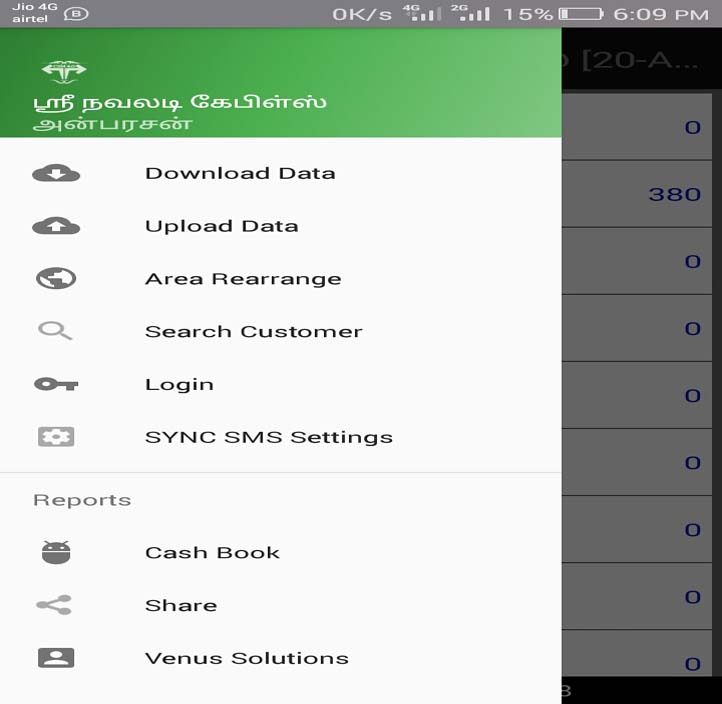
App Menu
Download data, upload collections, rearrange areas, search customer, cash book and SMS settings.
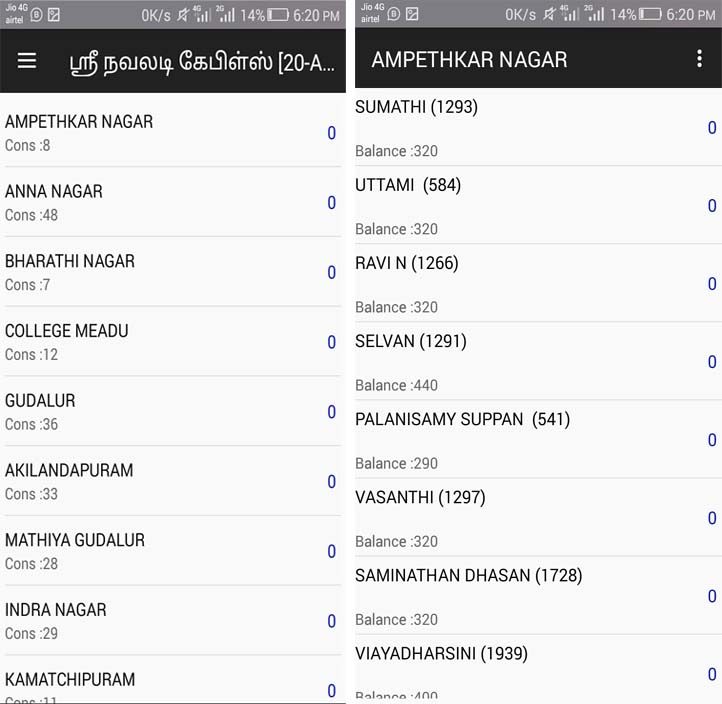
Areas & Customers
Area-wise connection count, then each customer with balance - tap to collect.
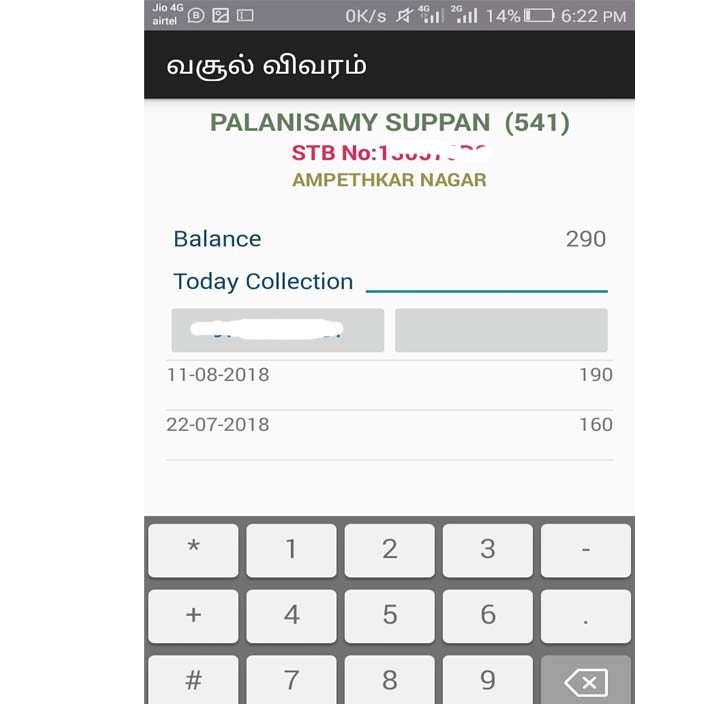
Collection Entry
Enter today's collection with balance and past payment history. Tamil supported.
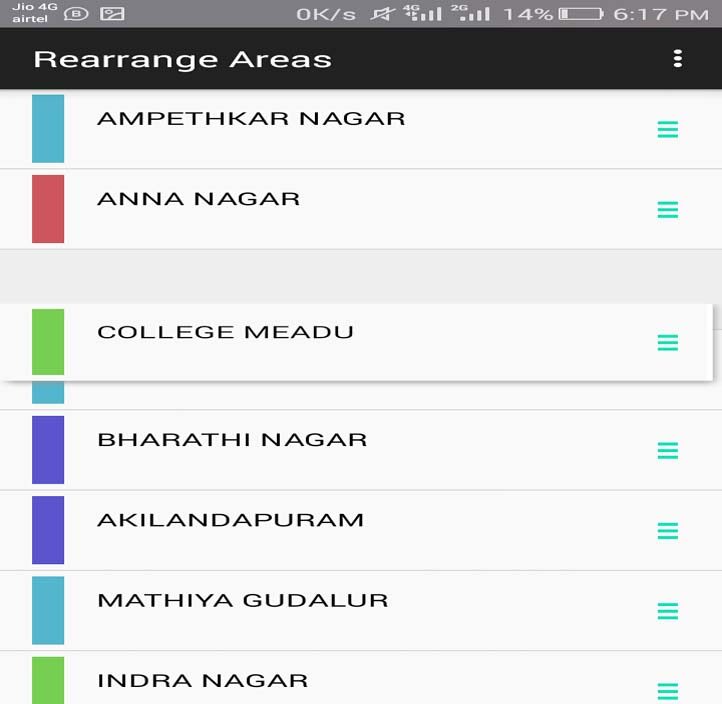
Rearrange Areas
Drag and drop areas into your collection route order.
Desktop Software
For the office - customers, collections, staff and reports
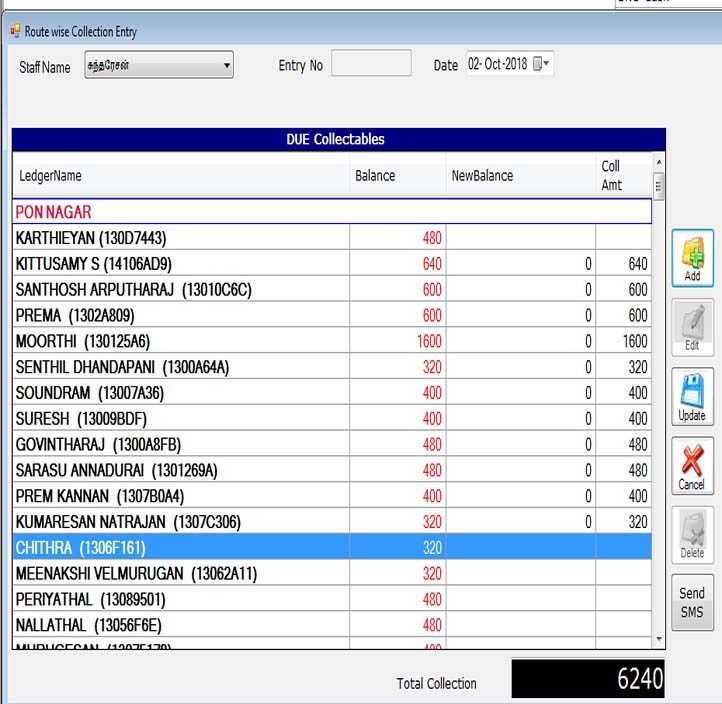
Route-wise Collection
Staff and date-wise entry of due collectables with running total and SMS.
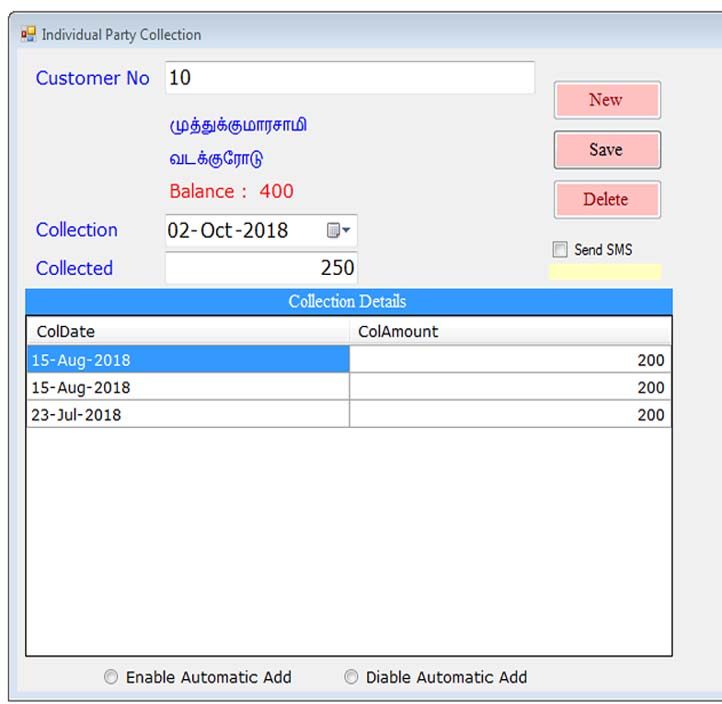
Individual Party Collection
Customer number lookup, balance, collection history and SMS receipt.
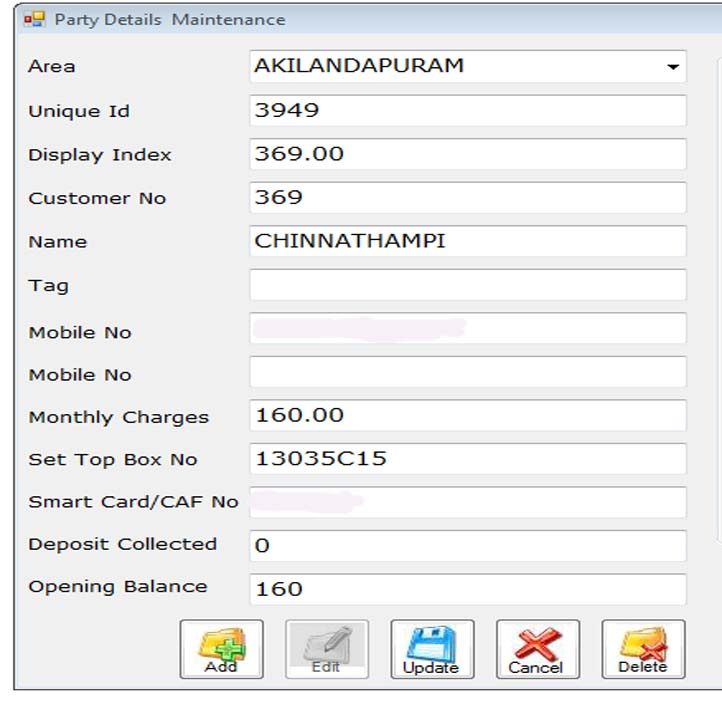
Customer (Party) Details
Area, set top box, smart card / CAF number, monthly charges, deposit and opening balance.
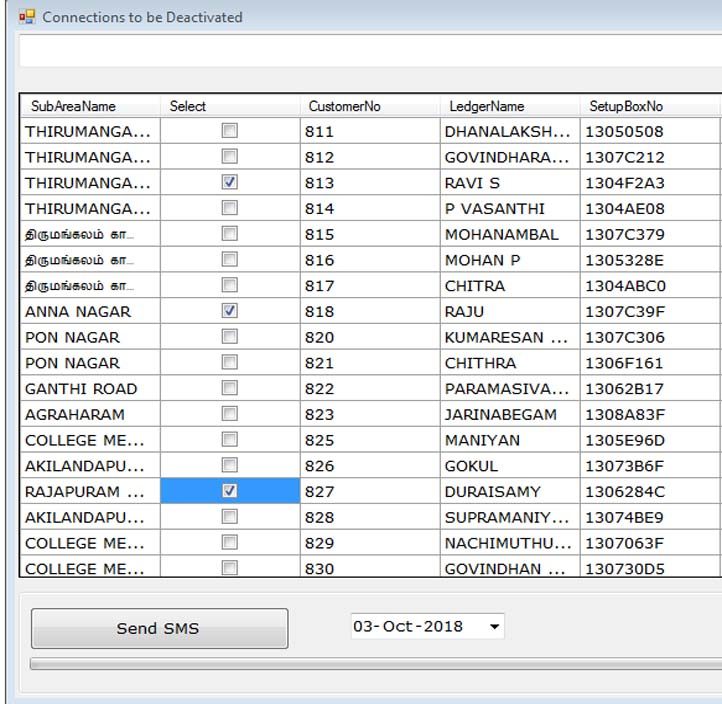
Connections to be Deactivated
Pending customers by sub-area with set top box number - select and send SMS.
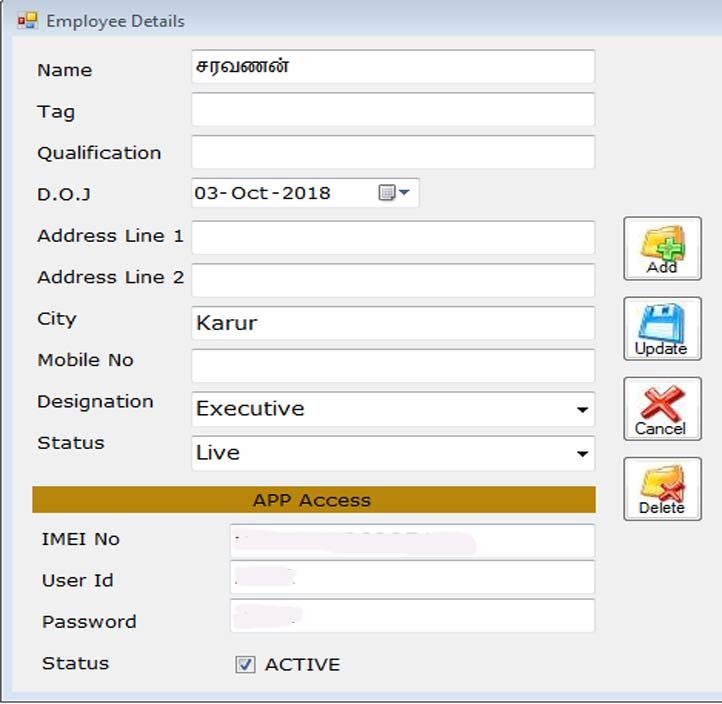
Employee & App Access
Collection staff with mobile app login and device lock (IMEI) control.
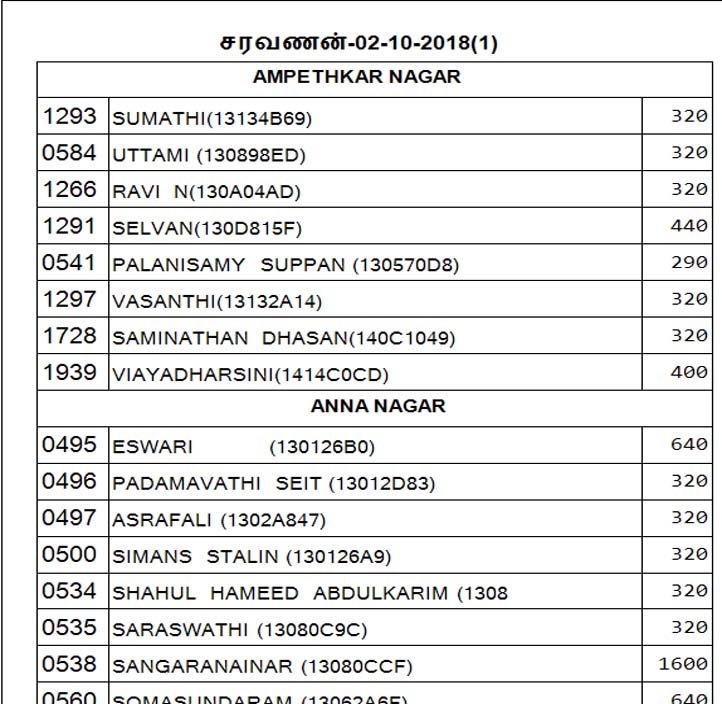
Printed Collection List
Staff-wise, area-wise due list for collection - printed or shared as PDF.
How it works
- Office - add areas, customers (set top box, package charges) and collection staff in the desktop software.
- Download - each staff member downloads their areas and customer balances to the app in the morning.
- Collect - staff enter collections door to door; customers get an SMS / WhatsApp receipt.
- Upload - collections are uploaded; the office sees totals, pending and deactivation lists instantly.